
Every visit, from the calendar to the invoiceSoftware for maintenance and technical service companies in Panama
Tasks, before and after photos and a report in a single order. And each piece of equipment tells you when it is due again.
14 days free, with everything. No card.
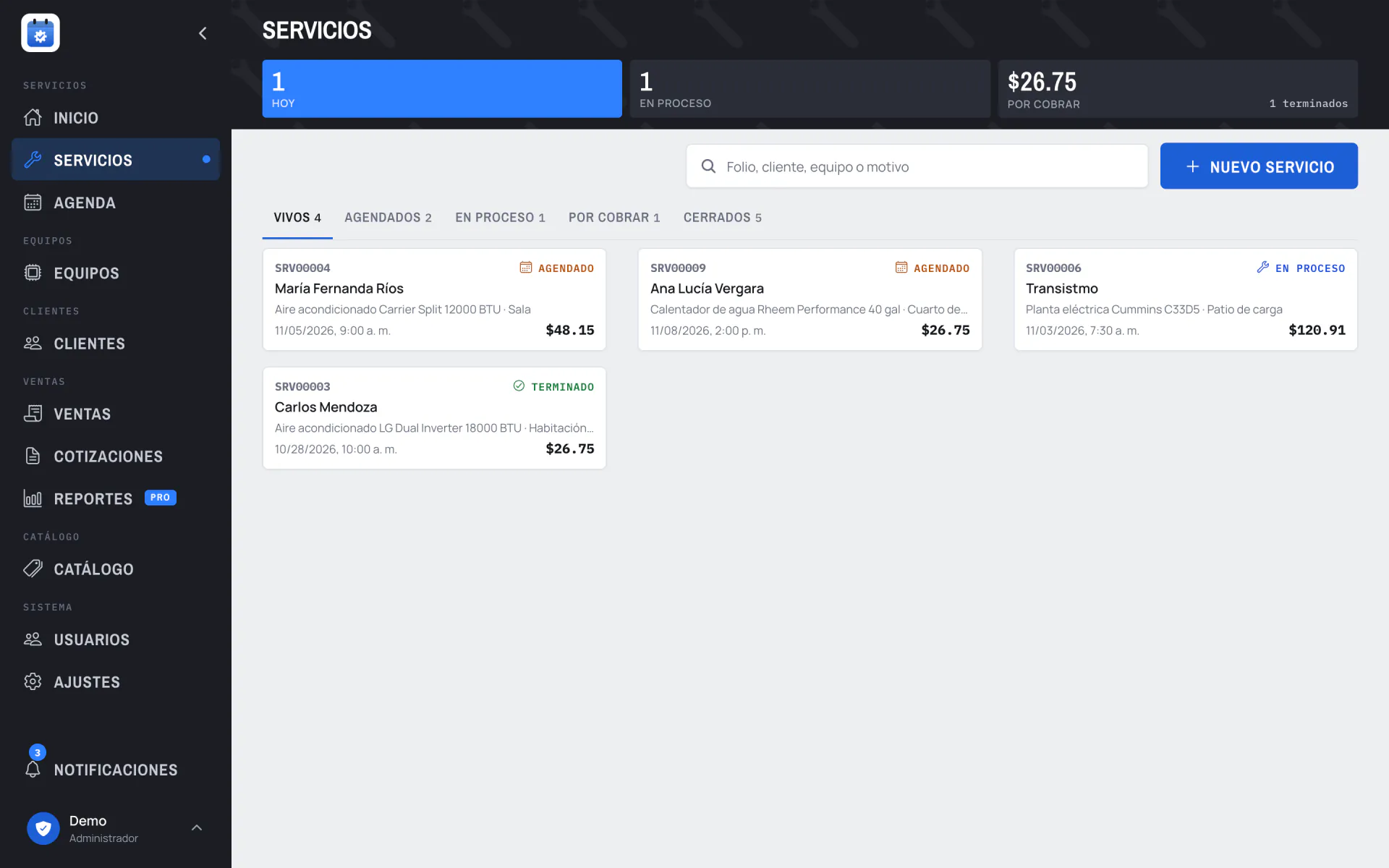
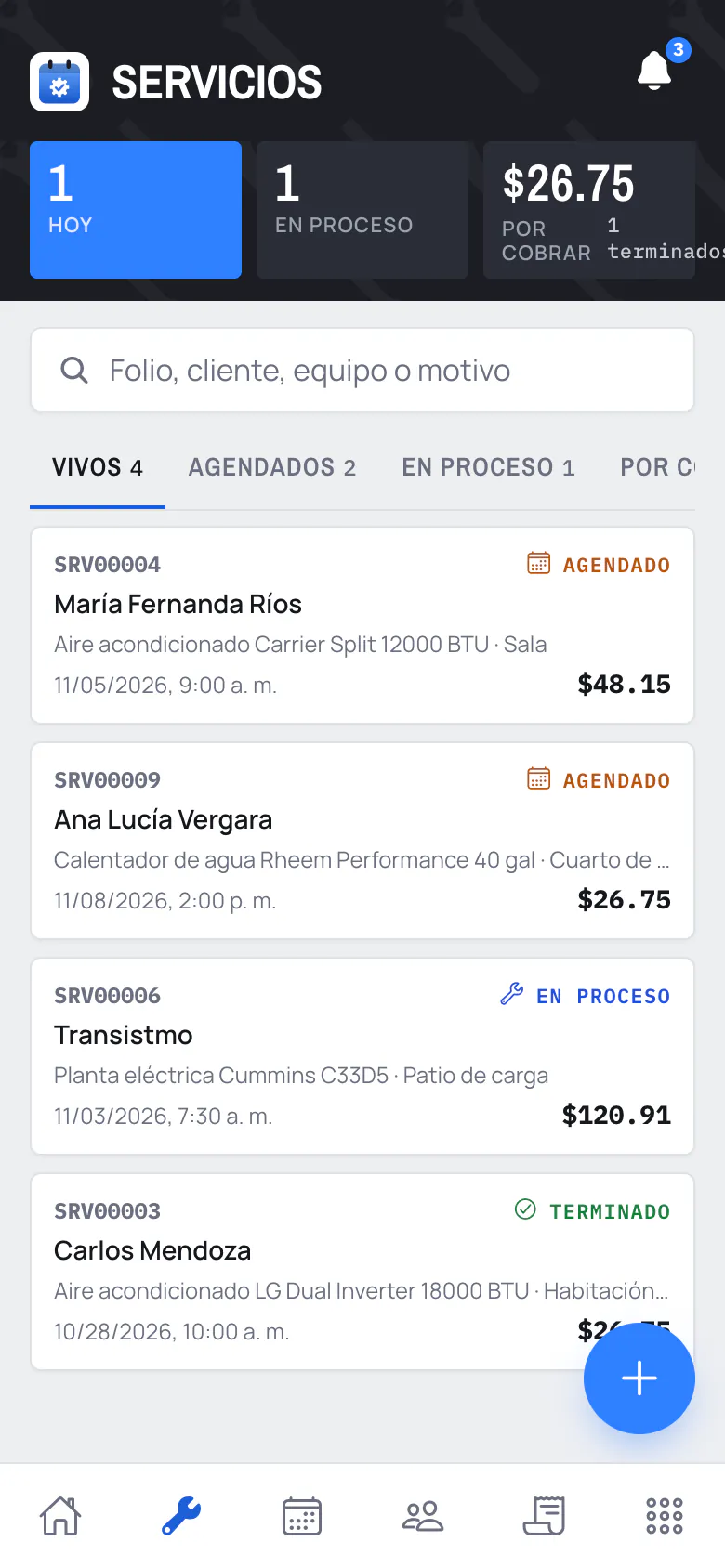
The calls you no longer get
- When is its maintenance due?
- Each piece of equipment knows how often it is due. You see the overdue ones first and your customer sees it in their portal.
- What did you do to it?
- The tasks, the before and after photos and the report stay in the order, visible to the customer.
- How much was it?
- The invoice comes from the order with what was done, and the customer finds it in their portal.
How your company works
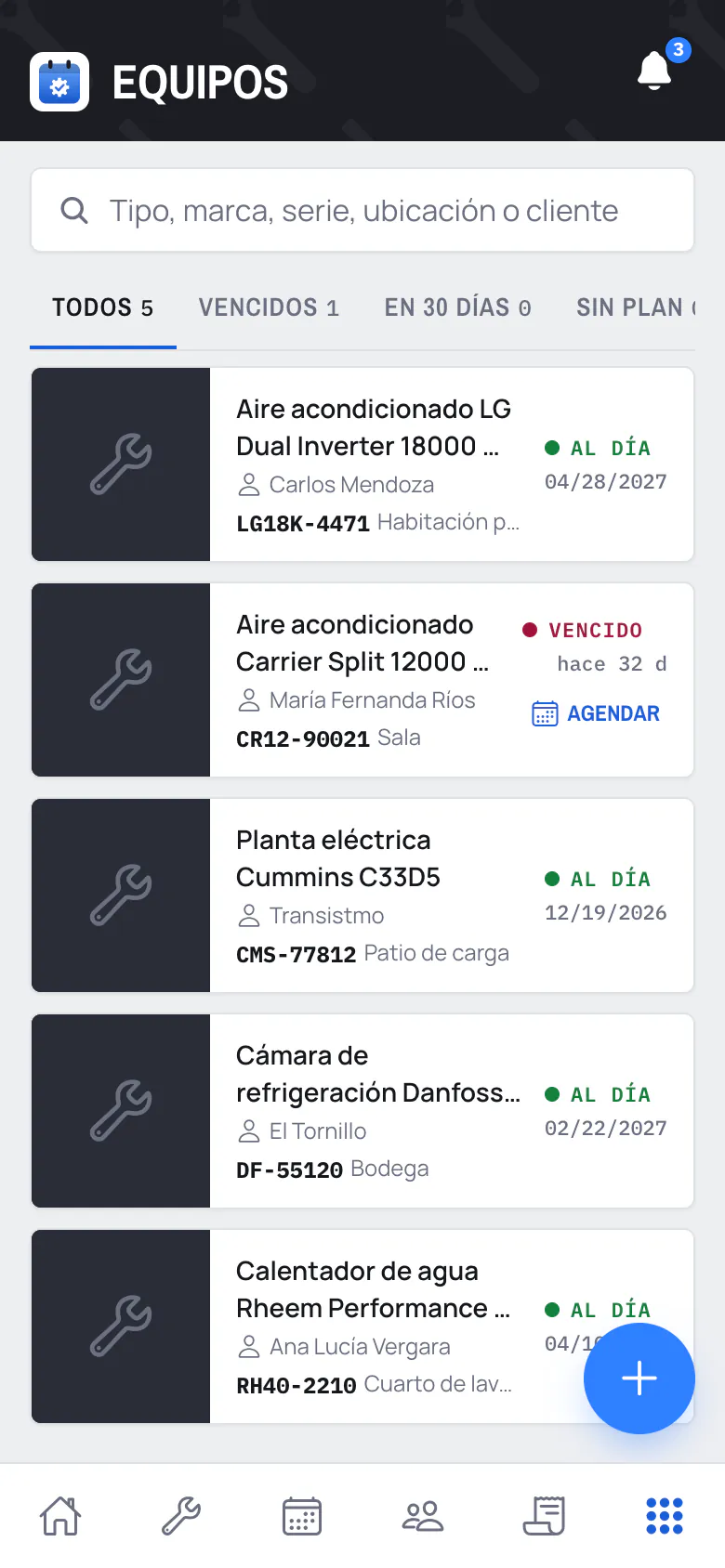
Step 1: It tells you when it is due
Each piece of equipment knows how often it is due. Overdue ones come first and one tap opens the visit already set up.
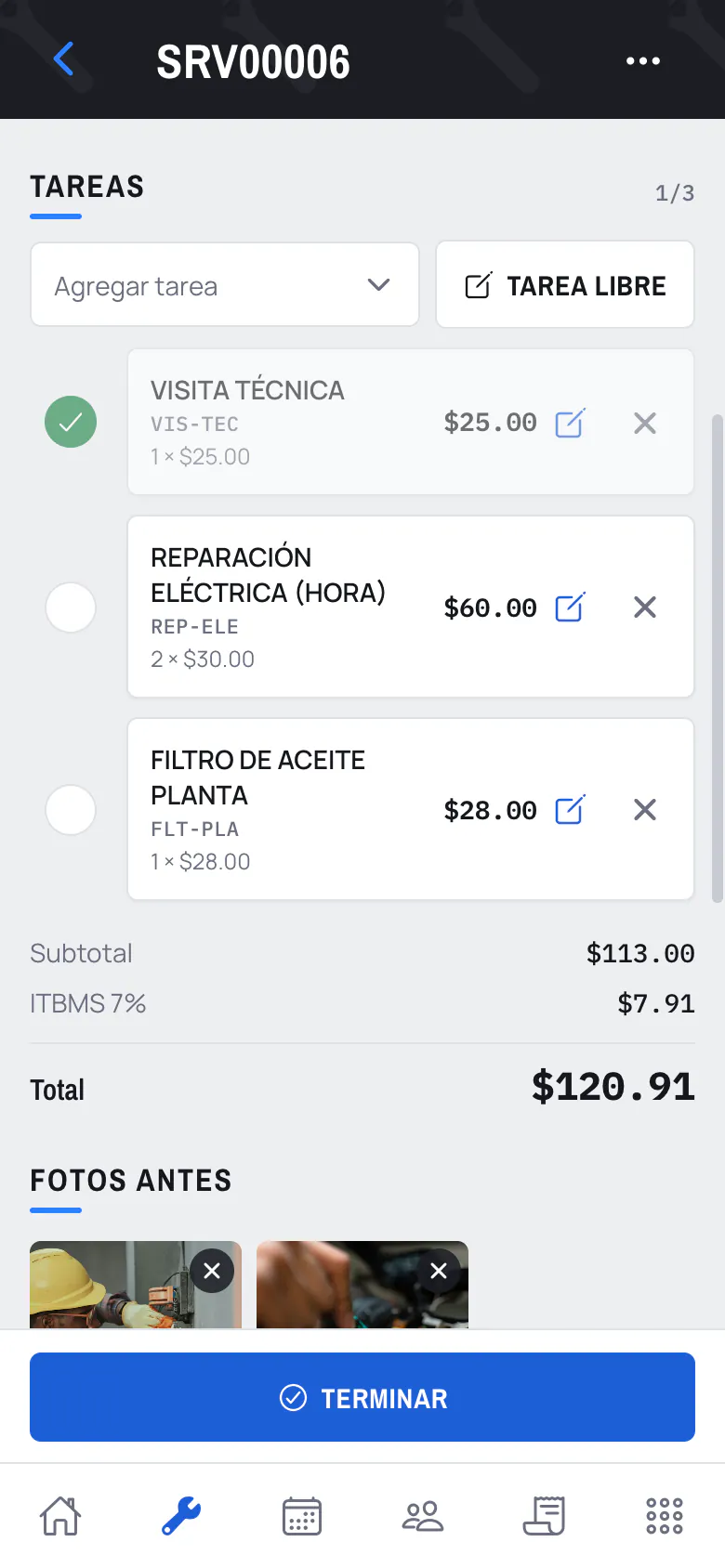
Step 2: The technician checks off the tasks
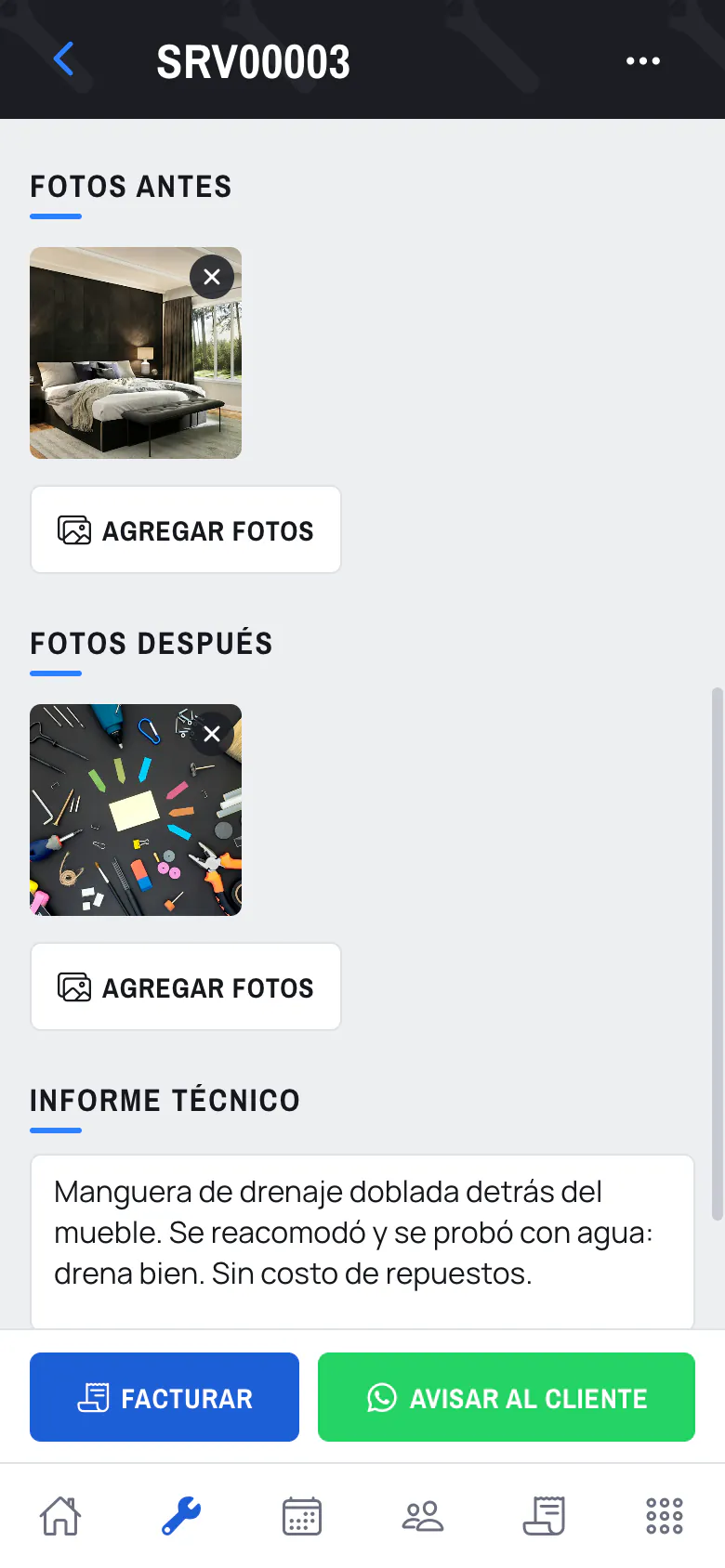
Tasks from the catalog or free-form. They check them off from their phone and the total builds itself.
Step 3: Photos, report and invoice
Before and after photos and the technical report. When done, you invoice and notify them by WhatsApp.
Your customer sees their equipment without calling you
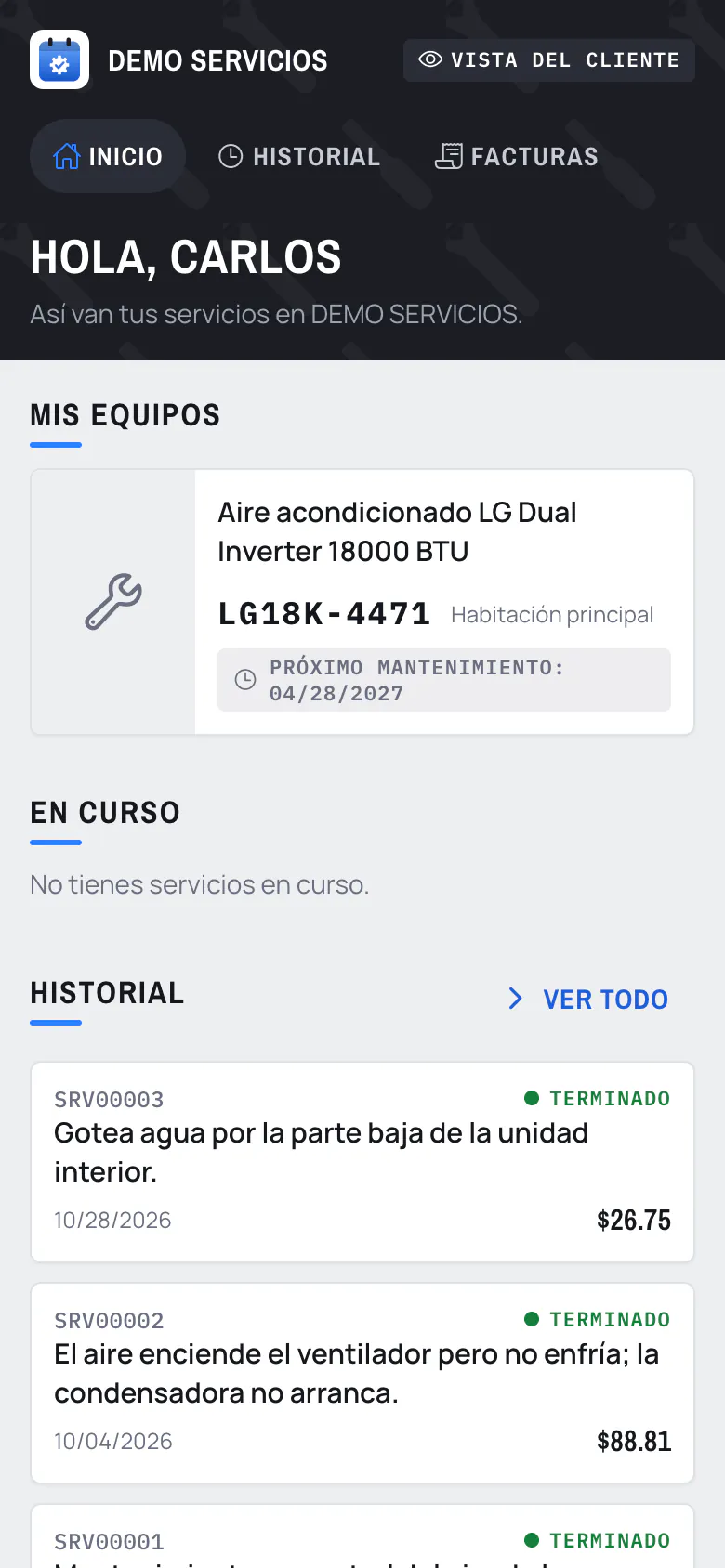
You create their access with their email and they log in from their phone, with nothing to install.
- Their equipment and the next maintenance
- The tasks, the report and the photos
- Quotes and invoices as PDF
- Buttons to call or write to you
Everything it includes
Service orders
Scheduled, in progress, finished and invoiced. With tasks, photos and a technical report.
More about service ordersTechnician calendar
The day per technician, with the week in view. Reschedule or change technician from the order.
More about technician calendarEquipment and maintenance
Each piece of equipment with its serial number, its location and how often it is due. Overdue ones come first.
More about equipment and maintenanceQuotes and invoices
Quote from your catalog, turn it into a service and invoice what was done.
Alerts
Maintenance coming due, today's and tomorrow's visits, and finished work not yet invoiced.
Reports
Services per technician, what was invoiced and the average visit time. On the Pro plan.
Pricing
14 days free, with everything. No card. If you work solo, from $7 per month.
- Services, calendar, equipment and sales
- 3 users and 15 GB
- Customer portal
- Everything in the Basic plan
- Reports per technician and on overdue equipment
- Everything in the Pro plan
- Up to 3 branches
- Switch branches or see them all together
- Reports per branch or consolidated
Compare plans
| Feature | Basic | Pro | Advanced |
|---|---|---|---|
| Services, calendar and equipment | |||
| Prices, quotes and sales | |||
| Users | 3 | 8 | 20 |
| Space for photos and files | 15 GB | 40 GB | 100 GB |
| Customer portal | |||
| Reports | — | ||
| Branches | — | — | Up to 3 |
| Where it works | PC, tablet and phone | PC, tablet and phone | PC, tablet and phone |
| WhatsApp support |
Prices in USD, no lock-in: you pay by the month from the app, with card or Yappy. Taxes depend on your country. Each user can have up to 2 devices connected at once; if they log in on a third, the oldest session is closed. No extras: if you reach the user or space limit, you move up a plan or write to us.
Frequently asked questions
How does the trial work?
You create the account and get 14 days with everything, no card. At the end you pick a plan and pay from the app with card or Yappy. If you do not pick one, the account is locked and deleted after 7 days.
Can I try it without signing up?
Yes. The demo is the full system with a sample company: schedule a visit, check off the tasks and invoice. What you do stays only in your browser. Try the demo
Do I have to install anything?
No. You log in from the browser on a PC, tablet or phone, and your whole team works in the same account, from the office to the visit.
Does it work if I work alone?
Yes. The Solo plans are for one user: Basic logs what you did without prices, and Pro adds quotes and invoices.
Is the invoice a tax invoice?
No. Servidiario gives you invoices and receipts as PDF for your customer. You keep issuing the tax invoice the way you do today.
Can I cancel?
Yes. There is no lock-in: you pay by the month. If you stop paying, the account is locked, but your data stays saved for when you come back.
Is there support?
By WhatsApp and email, in Spanish, Monday to Saturday. It is included in every plan.
Can I ask for Google reviews?
Yes. You put your Google listing link in Settings and the finished-service WhatsApp ends by asking for the review.
Does my customer need an account to see their service?
No. The notification WhatsApp carries a tracking link: they open it and see the tasks, the photos and the report, without signing up. The portal with an account is for those who want to see their whole history.
Is my data mine?
Yes. From Settings you export your customers and your sales to Excel (CSV) whenever you want, and you can delete the account with everything in it.
Your services, up to date.
Free for 14 days.
14 days free, with everything. No card.